If you're looking for a typeface that brings both elegance and versatility to your projects, Pink Vibes Duo is worth a closer look. This stylish duo font combines a delicate script with a clean sans serif, making it easy to mix and match for everything from greeting cards to headlines. Whether you design planners, run a print-on-demand shop, or just love crafting, this font adds a romantic touch without feeling over the top.
What exactly is Pink Vibes Duo?
It’s a two-in-one font set: one part is a flowing script with lovely swashes, and the other is a neat, modern sans serif. Because it’s PUA encoded, you can access all the extra glyphs, ligatures, and decorative swashes directly in software like Cricut Design Space, Silhouette Studio, or Adobe Illustrator. No complicated workarounds just copy, paste, and customize.
This font is also featured in the Creative Fabrica class “Planner Stickers: Create, Print, Cut,” so it’s already proven useful for sticker design. If you’re into handwritten script fonts, you’ll appreciate how natural the script flows while still being legible.
Who is this font really for?
Honestly, it works for a wide range of creatives:
- Print-on-demand sellers – Use it for t-shirt quotes, mug designs, or wall art that needs a romantic, handcrafted vibe.
- Small business owners – Perfect for branding materials like logos, business cards, and social media graphics.
- Paper crafters – Greeting cards, invitations, scrapbooking layouts, and planner stickers all benefit from the contrast between script and sans serif.
- Hobbyists – If you make digital journals, mood boards, or custom gifts, the duo format saves time because you don’t have to hunt for a second matching font.
For example, a shop selling wedding invitations can use the script for the couple’s names and the sans serif for details like date and venue. It keeps the design cohesive without extra work.
How does it compare to similar script fonts?
You might have seen other romantic duo fonts like Soulmate or Sunshine. Pink Vibes Duo sits somewhere in between less ornate than some calligraphy styles but more personality than a basic script. The sans serif companion is simple enough to let the script shine, but it’s not boring. It has a slight softness that matches the script’s curves.
Another comparison: Front Picture is more of a display script, while Pink Vibes Duo feels more everyday versatile. If you need something that works in both large headlines and smaller body text, the duo gives you that flexibility without switching to a completely different style.
What projects benefit most from a duo font like this?
Duo fonts really shine when you want two distinct typefaces that still feel like they belong together. Here are a few ideas:
- Greeting cards – Use the script for the main message, the sans serif for the sender’s name or a short note inside.
- Headlines and subheadings – In a blog banner or flyer, let the script grab attention and the sans serif add rest.
- Planner stickers – Since it’s used in the CF class, you know it works well for labels, days of the week, or motivational quotes.
- Product labels – Handmade soap, candle, or cosmetic brands can use it for a boutique look.
Because it’s PUA encoded, you can also access alternate characters and swashes to make each design feel unique. No two “love” or “hello” need to look exactly the same.
Is Pink Vibes Duo easy to use if I’m not a pro?
Absolutely. The duo format means you don’t have to spend hours pairing fonts. Import it into your design software, type your text, and switch between the script and sans serif layers as needed. The swashes are accessed through your character map or glyph panel, and most tutorials show you the simple steps. If you’ve used any PUA font before, this will feel familiar.
For a similar handwriting feel but with a different personality, you might also check out Hailey. But if you want that romantic script + clean sans combo in one purchase, this duo saves you both money and effort.
Quick checklist before you download
- Check your software – Pink Vibes Duo works in most design apps, but confirm yours supports PUA encoding (Cricut Design Space, Silhouette Studio, Adobe Suite, Affinity, etc.).
- Test the swashes – Once installed, open the glyph panel to see all the alternate letters and tails. Plan your design around the ones you want to use.
- Pair with a neutral background – Because the script has delicate lines, it shows up best on solid or lightly textured backgrounds.
- Use the sans serif for supporting text – Let the script do the talking; keep details like dates, addresses, or smaller notes in the sans serif.
- Scale test – Try the font at different sizes. The script is readable even at medium sizes, but the swashes really pop when you enlarge them for titles.
If you’re ready to give your next project a romantic, handcrafted feel without the hassle of matching separate fonts, Pink Vibes Duo is a solid choice. Start with a simple greeting card or sticker set to see how the two styles work together you might find it becomes your go-to duo.
Download Now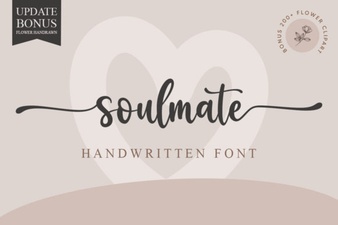 Discover Your Soulmate Font for Creative Designs
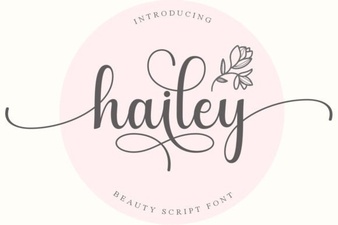 Hailey Font: Creative Uses for Your Design Projects
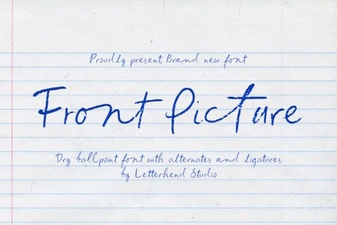 Front Fonts: Design Ideas for Impactful Visuals
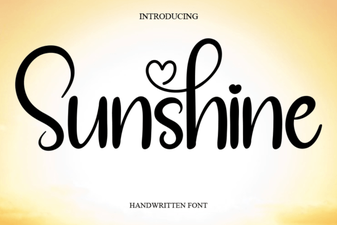 Sunshine Font: Design Projects for Bright, Creative Layouts
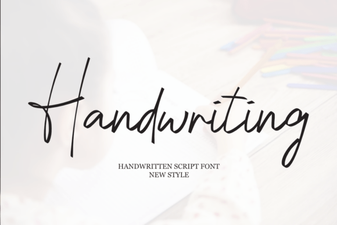 Creative Handwriting Fonts for Unique Designs
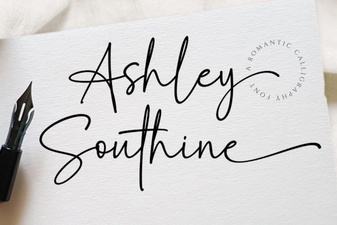 Ashley Southine Font: a Modern Design Guide