If you need a bold serif font that feels both minimal and powerful, Luxena Font is worth a close look. It’s a tall, clean serif typeface designed for high-impact headlines and professional branding. The refined serif lines and balanced proportions give it a sleek, sophisticated look that works well for fashion logos, luxury packaging, or digital posters.
How can I use Luxena Font in branding projects?
Luxena’s confident structure makes it ideal for logos and brand marks where you want a minimalist but memorable impression. Because the characters are tall and elegant, they stand out in short text like taglines, company names, or monograms. A fashion label or premium skincare brand could use Luxena for its logo to convey both luxury and simplicity.
For print-on-demand sellers, this font works beautifully on t-shirts, mugs, or tote bags when paired with a clean graphic. The high contrast between thick and thin strokes ensures readability even at smaller sizes, so you can use it for product labels or hang tags without losing clarity.
Is Luxena Font suitable for print-on-demand products?
Absolutely. The OTF and TTF formats mean you can use it in nearly any design software, from Photoshop to Canva to Inkscape. Print-on-demand platforms like Printful or Redbubble accept these formats, so you can upload your designs directly. Since Luxena is a serif font, it adds a touch of class to simple quotes, monograms, or minimalist art prints. Just remember to check the licensing terms – Creative Fabrica usually offers commercial licenses with their products, but double-check for your specific use case.
What about mixing Luxena with other fonts?
Luxena works well as a headline font paired with a clean sans-serif body font. For example, combine it with something like Montserrat or Open Sans for a modern, readable contrast. You can also layer it with decorative elements like thin lines or geometric shapes. Because Luxena itself is minimal, it leaves room for other design elements to shine. If you prefer a softer serif look, consider Ethereal – it’s lighter and more delicate, while Luxena brings weight and authority.
What file formats come with Luxena Font?
You get both OTF and TTF files. OTF (OpenType) often includes extra typographic features like ligatures or stylistic alternates, while TTF (TrueType) is more widely compatible with older software. Most designers will be fine with OTF for professional work, but having both ensures you’re covered when sending files to print shops or collaborators. You can install Luxena on any operating system and use it immediately.
Tips for getting the most out of Luxena Font
- Use generous tracking (letter-spacing) – because the letters are tall, adding a little space between them enhances readability and gives a more airy, high-end feel.
- Avoid using it for long body text – Luxena is a display serif, best for headlines or short phrases. For paragraphs, choose a readable body font.
- Pair with neutral colors – black, white, gold, or deep navy work well to emphasize the font’s elegant lines.
- Test on different backgrounds – the font’s thin strokes might get lost on busy patterns, so keep backgrounds simple or use a text shadow.
- Check kerning in your design software – some fonts need manual kerning adjustments for a perfect fit, especially in all-caps logos.
You can find Luxena in the serif fonts collection on Creative Fabrica, along with other options for your next project.
Next step: try Luxena in a simple mockup
Download the font and open your favorite design tool. Create a new file, type your brand name or a single word in Luxena, and experiment with letter spacing and alignment. Then add a simple background color or a subtle texture. This quick test will show you if the font matches the tone you’re going for. If it feels too heavy, you can always go back to a lighter serif like Ethereal. But if you want a bold, minimalist statement, Luxena delivers.
Try It Free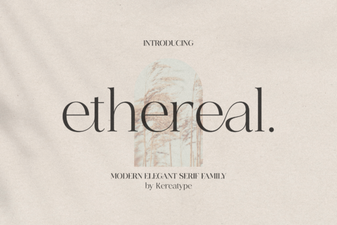 Design Projects Using Ethereal Font Styles
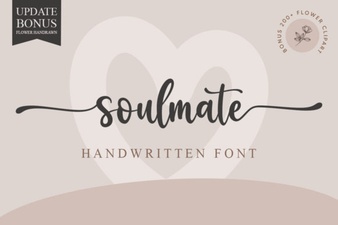 Discover Your Soulmate Font for Creative Designs
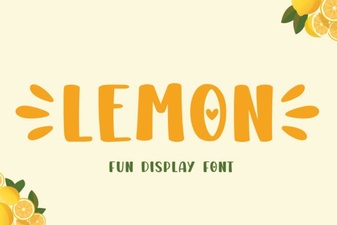 Lemon Font: a Zesty Design for Creative Projects
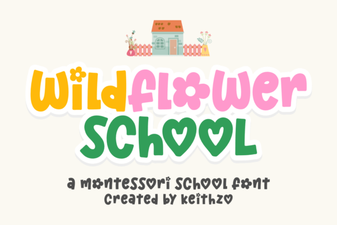 Wildflower Font: Creative Design Ideas & Applications
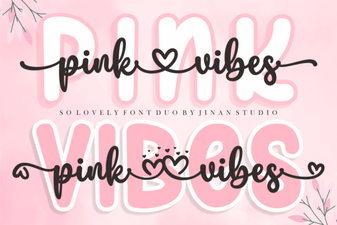 Pink Vibes Duo Font for Bold & Playful Designs
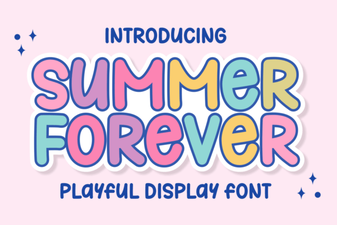 Summer Forever: a Timeless Casual Script Font