If you’ve been looking for a fat sans serif that feels playful without looking messy, Muffin Font might be exactly what you need. Designed by Minimalist Art Studio, this bold, chunky typeface keeps letterforms clean and geometric, so your text stays readable even when you size it down. Whether you work on logos, packaging, or social media graphics, Muffin gives you that thick, rounded look without sacrificing clarity.
What does “chunky and minimalist” actually mean for a font?
Usually, “chunky” fonts feel heavy and informal, while “minimalist” fonts feel light and structured. Muffin manages both by using rounded corners and near-uniform stroke widths. The letters are generously thick but keep a simple, almost modular shape. This means you get the weight of a display font with the legibility of a sans serif. You can use it for short headlines or short body text in posters and still read it from across the room.
Is Muffin Font good for print-on-demand and merchandise?
Yes, and here’s why. Print-on-demand sellers often need fonts that work on t-shirts, mugs, and phone cases without looking fragile. Muffin’s chunky outlines hold up well in embroidery and screen printing because thin strokes don’t get lost. The two included styles give you flexibility: use the regular weight for main text and the alternate for decorative accents. Since it’s a sans serif, it also pairs naturally with script fonts or monoline designs. If you’re building a brand around retro or modern minimal aesthetics, this font can anchor your product line.
How does Muffin compare to other Creative Fabrica sans serif fonts like Nura or Godthem?
Muffin is distinctly rounder and bolder than many similar options. For contrast, the Nura Font page shows a sleeker, more geometric sans serif that works better for clean editorial layouts. Godthem Font, on the other hand, leans into a condensed, rugged feel. Muffin sits in the middle – compact enough for posters but friendly enough for children’s products or food packaging. If you already have Nura or Godthem in your library, Muffin adds a different personality: thicker, softer, and more approachable.
What kind of projects work best with a fat sans serif like this?
- Logos & branding – Muffin’s weight makes a strong first impression, especially for coffee shops, bakeries, or toy brands.
- Posters & flyers – Bold headlines pop without needing extra effects.
- Packaging labels – The rounded letters feel friendly on food or beauty products.
- Social media graphics – It reads well on mobile screens, even at smaller sizes.
- Merchandise – T-shirts, tote bags, and stickers benefit from the chunky outlines.
Because it’s a sans serif, you don’t have to worry about complicated serif details getting lost in printing. The geometric proportions also make it easy to kern (adjust spacing) by hand if you need tight letters for logos.
How does Muffin handle readability at small sizes?
Most display fonts lose legibility below 18pt, but Muffin keeps its character even at 12–14pt because the counters (the enclosed spaces inside letters like “o” or “e”) are wide open. The two styles include a standard version and an alternate with slightly different letterforms, so you can choose the one that stays more readable for your specific layout. If you’re designing a business card or a small sticker, you can rely on this font without needing a secondary text font – though pairing it with a thin sans serif for body copy often looks polished.
Should you download Muffin Font if you’re new to typography?
Absolutely. New designers sometimes struggle with fonts that require advanced kerning or multiple weights. Muffin comes with just two styles, which keeps decisions simple. The chunky shape also hides minor kerning imperfections better than lighter fonts, so your text will look balanced even if you don’t adjust spacing manually. For anyone starting a small business or learning design, Muffin is a forgiving, versatile choice.
Practical tip before you download
Open the Muffin Font listing on Creative Fabrica and test the font with your own words using the preview tool. Try setting your brand name in both uppercase and lowercase to see which feels right. Also, check how it looks in black on white and white on a dark background. If you’re designing for print, print a small sample at actual size to confirm the thickness works for your product.
For a quick experiment: pair Muffin’s bold uppercase with a delicate script font for contrast – it often creates the kind of retro-modern look that performs well on social media.
Learn More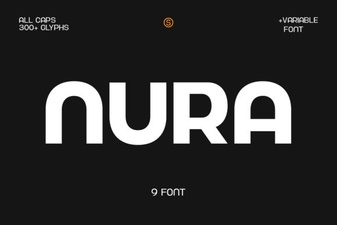 Nura Font: Modern Style for Digital Designs
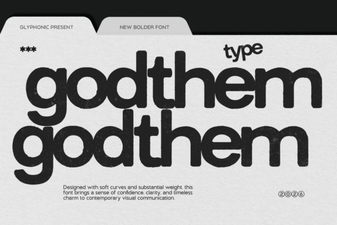 Godthem Font: a Modern Design Resource
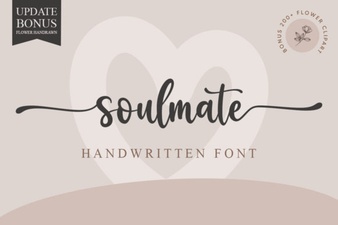 Discover Your Soulmate Font for Creative Designs
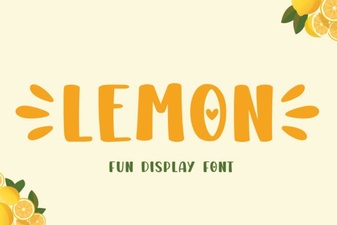 Lemon Font: a Zesty Design for Creative Projects
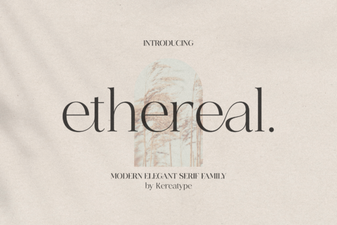 Design Projects Using Ethereal Font Styles
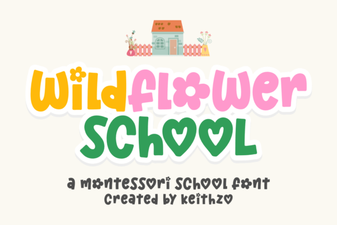 Wildflower Font: Creative Design Ideas & Applications