If you’re searching for a clean sans serif font that works across print and digital projects, Nura Font is worth a close look. Designed for clarity and versatility, this typeface handles everything from posters and headlines to logo designs and product packaging. Whether you’re a print-on-demand seller or a hobbyist crafter, having a reliable sans serif in your toolkit saves time and keeps your work looking professional.
What makes Nura Font different from other sans serifs?
Many sans serif fonts lean either too playful or too rigid. Nura strikes a middle ground. Its letterforms are simple and neat, with even stroke widths and good legibility even at smaller sizes. This makes it suitable for both block letters and subheadings. The font includes uppercase and lowercase characters, numerals, and basic punctuation, so you can use it straight out of the box for most projects.
For designers working on branding, a consistent typeface helps build recognition. Nura Font provides that consistency without drawing attention to itself. It’s the kind of font that supports your message rather than competing with it.
Can I use Nura Font for logo design?
Yes, and it’s actually one of its strongest use cases. Logos need to be readable at different sizes on a business card, a website header, or a merchandise tag. The clean geometry of Nura keeps the logo clear whether it’s scaled down or blown up. Pair it with a script or serif font for contrast, or use it alone for a modern minimal look.
If you’re browsing for alternatives, Godthem Font offers a similar clean style but with slightly rounded terminals, while Muffin Font has a more playful character that works well for children’s products or casual branding.
How does Nura compare to other sans serif fonts?
When you put Nura next to classic sans serifs like Helvetica or Arial, you’ll notice its proportions feel a bit more contemporary. The x-height is generous, which improves readability on screens. This is handy if you’re designing social media graphics or web banners where text needs to pop quickly.
For print-on-demand sellers creating t-shirts or mugs, Nura’s even spacing means your text won’t look cramped. It also works well in all-caps settings for headlines. For a more condensed option, consider this other clean sans serif typeface which is great for tight spaces. For a rounded and friendly look, a playful sans serif alternative might suit your project better.
Is Nura Font suitable for beginners?
Absolutely. You don’t need advanced design skills to get good results. Drop the font into your design software (it works with Adobe Suite, Canva, Affinity, and most craft programs), adjust the size and weight, and you’re done. There are no complicated ligatures or stylistic sets to learn. It’s a straightforward install-and-use font.
If you’re selling physical products like stickers or greeting cards, test print a sample first. The thin strokes in the regular weight hold up well, but for smaller text on fabric, the bold weight gives better contrast.
Where can I get Nura Font?
You can download Nura Font from Creative Fabrica. The product page includes the font file in OTF and TTF formats, which cover most software needs. If you’re a subscription member, you’ll get it as part of your plan. If not, you can purchase it individually no strings attached.
Quick checklist before you download
- Check if the license covers commercial use (it does for most Creative Fabrica fonts).
- Decide if you need multiple weights Nura comes in regular and bold.
- Test it on a mockup of your product (poster, logo, mug, etc.) before finalizing.
- Pair it with a contrasting font if using for branding (a script or serif works well).
- Note the file format: TTF works on Windows and Mac, OTF is also fine for most applications.
If you’re still exploring options, Godthem Font and Muffin Font are worth comparing side by side with this simple sans serif typeface to see which fits your project’s personality best.
Download Now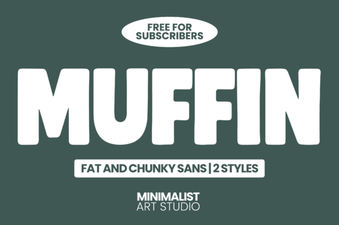 Muffin Font: Creative Design & Typography Projects
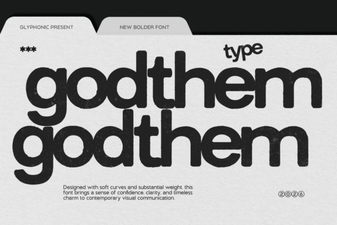 Godthem Font: a Modern Design Resource
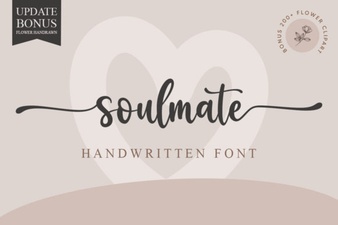 Discover Your Soulmate Font for Creative Designs
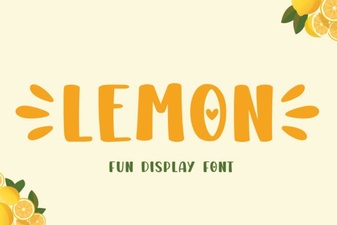 Lemon Font: a Zesty Design for Creative Projects
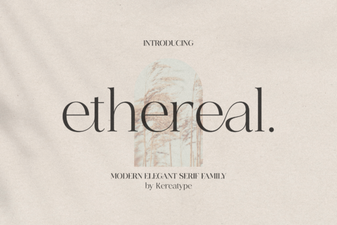 Design Projects Using Ethereal Font Styles
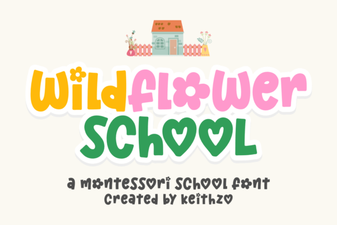 Wildflower Font: Creative Design Ideas & Applications