If you're wondering what the Whatcha Doing Font is all about, it's a set of nine full‑color SVG fonts that look like playful, hand‑written rainbow lettering. Instead of a single color, each character is filled with a gradient of eight rainbow hues, plus a ninth font that mixes all the colors together. This makes it a great choice if you want to add a cheerful, colorful touch to invitations, social media graphics, or print‑on‑demand products.
Full‑color SVG fonts are different from standard fonts. They work like regular OpenType fonts, but they store vector shapes and color info inside each glyph. That means every letter, number, and symbol comes pre‑colored. You can scale them up without losing sharpness, and they keep their rainbow look even when you resize them.
How do full‑color SVG fonts actually work?
An SVG font (Scalable Vector Graphics font) stores each character as a vector image. The colors are embedded right in the font file, so you don’t need to apply fills or gradients manually. In the case of Whatcha Doing Font, the eight rainbow colors are built into the font itself. When you type, the letters appear in a smooth gradient that runs through red, orange, yellow, green, blue, indigo, violet, and back again – depending on the variant you pick.
These fonts are installed just like any other .otf file. On a Mac, you use Font Book. On Windows, you can drag the font into the Fonts folder in Control Panel or use a font manager. Once installed, they show up in your font menu, but you might see them previewed in black – that's normal. The color only appears when you type in a program that supports SVG fonts.
Which design programs support Whatcha Doing Font?
Not every app can handle full‑color SVG fonts yet. The good news is that many popular design tools work well with them. Here are the ones that support these fonts right now:
- Adobe Illustrator, InDesign, and Photoshop – all recent versions support SVG fonts. You'll see the colors as you type.
- Silhouette Studio – perfect for crafters who make vinyl decals, stickers, or paper crafts.
- QuarkXPress – works for layout projects.
- Inkscape – a free vector editor that handles SVG fonts well.
- Other SVG‑compatible apps – some newer drawing and design apps also support them, but it's best to test with a trial first.
If you use a program that doesn't support color fonts (like older versions of Word or basic text editors), the font will appear as black. The characters still work, but you won't see the rainbow effect until you switch to a compatible app.
How to install Whatcha Doing Font (quick steps)
- Download the font files – they will be in .otf format.
- For Mac users: Double‑click the font file and click “Install Font” in Font Book. Or drag the file into Font Book’s main window.
- For Windows users: Right‑click the .otf file and choose “Install”. You can also copy it to C:\Windows\Fonts.
- Restart any open design application to see the new font in your list.
- Type a few letters in a compatible program – they should appear in color. If they show as black, your program likely doesn't support SVG fonts.
What can you make with these rainbow fonts?
Because these colorful fonts are so vibrant, they work best for projects where you want a fun, hand‑lettered vibe. Here are a few ideas from fellow designers and print‑on‑demand sellers:
- Greeting cards and invitations – birthday, baby shower, or party invites that feel upbeat and personal.
- Social media graphics – quote posts, Instagram stories, or YouTube thumbnails that pop.
- Stickers and labels – the vector colors stay crisp at any size, perfect for die‑cut stickers.
- T‑shirt designs – use the “combined colors” font for a multicolor text that doesn't require extra layers.
- Logo lettering for a playful brand, like a children's boutique or a creative studio.
- Banner headers for websites or Etsy shop sections.
Because it's a full set of nine fonts, you can mix and match – use the red‑gradient font for one word and the purple‑gradient for another. That gives you more control over the color scheme of your final design.
Can I use this font for commercial projects?
Yes, the Whatcha Doing Font comes with a commercial license. This means you can use it in products you sell, like printed t‑shirts, digital downloads, or print‑on‑demand items. Always check the exact license terms that came with your purchase to be safe, but Creative Fabrica’s standard commercial license covers most small‑business uses.
Practical tip before you buy
If you're new to full‑color SVG fonts, try the combined colors font first. It includes all eight gradients in one, so you get the full rainbow effect in a single font file. Then experiment with the individual color fonts when you want a more specific palette. And remember – always test the font in your own design software before starting a big project. A quick test will save you time and help you decide if the font fits your workflow.
Try It Free Discover Your Soulmate Font for Creative Designs
 Lemon Font: a Zesty Design for Creative Projects
 Design Projects Using Ethereal Font Styles
 Wildflower Font: Creative Design Ideas & Applications
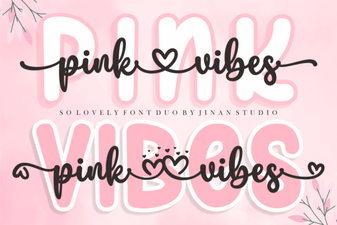 Pink Vibes Duo Font for Bold & Playful Designs
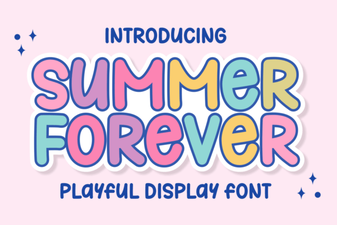 Summer Forever: a Timeless Casual Script Font